Channel Assignment
Once a source is configured, its variables need to be mapped to specific display channels before any data appears on the graph.
Assigning a variable to a channel
- Right-click on a variable listed under a source in the Sources pane.
- Select Assign to channel.
- Choose a channel number (1–12) from the submenu.
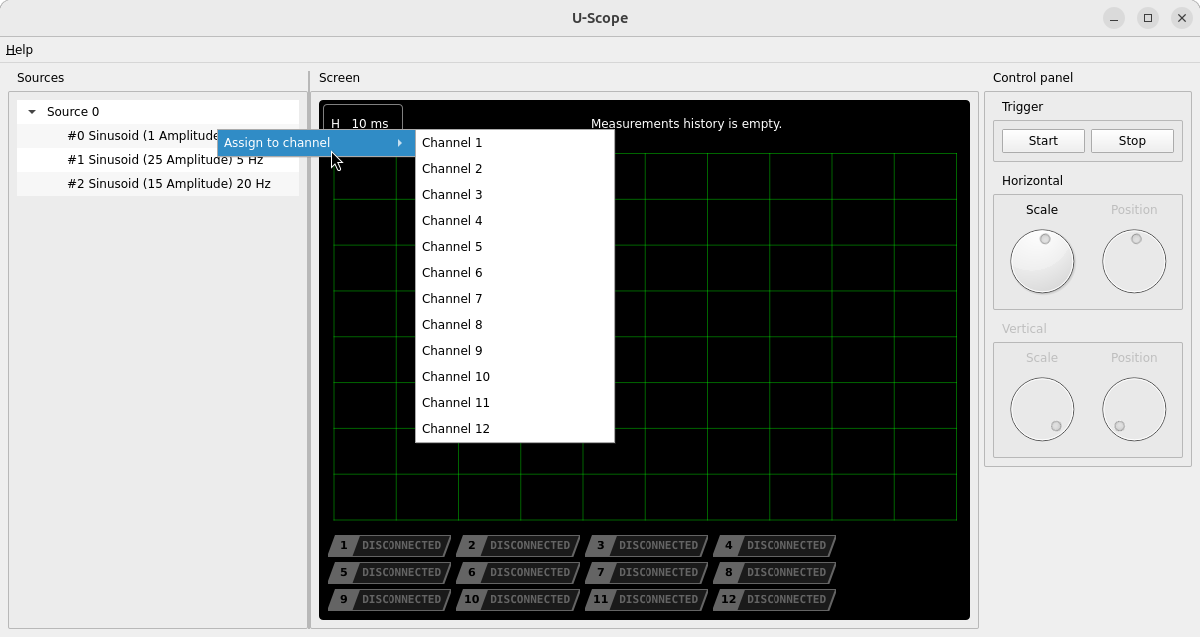
Assigning a variable to a channel that’s already in use replaces the previous assignment; the previously assigned variable is disconnected and its data cleared.
Enabling and selecting channels
Once assigned, a channel appears as a badge in the channel bar below the graph.
- Click a badge to select that channel — this makes it the active target for the Vertical Scale controls.
- Double-click a badge to toggle the channel on or off. Disabling a channel stops it from receiving and displaying new data without removing its source assignment.
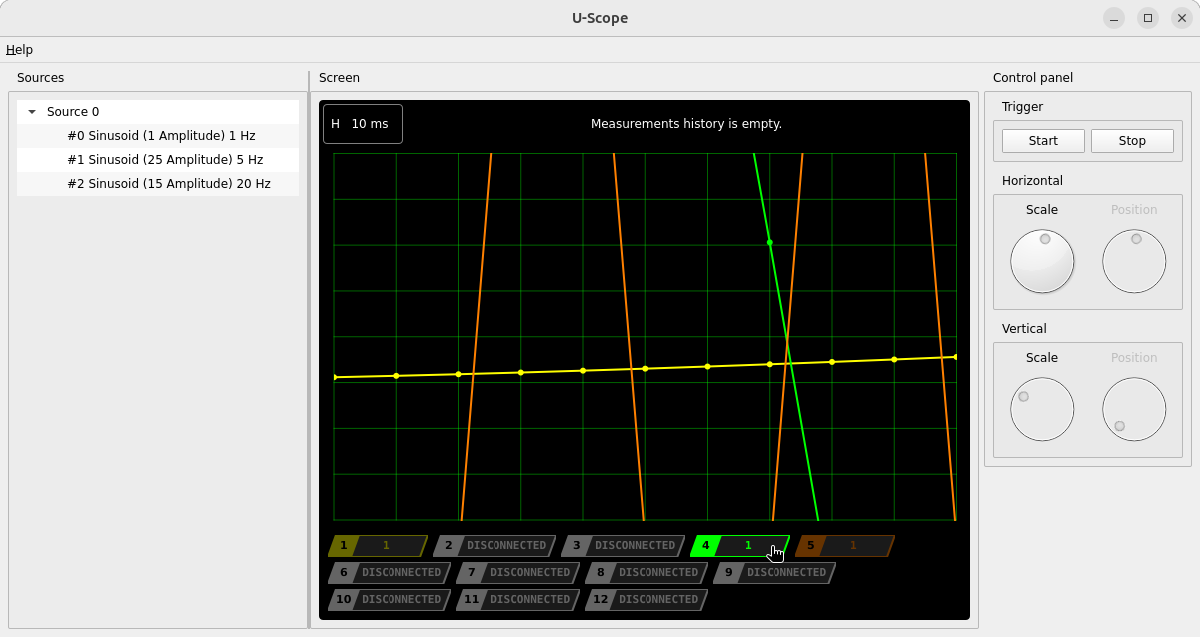
A disconnected channel’s badge reads DISCONNECTED; a connected but disabled channel reads OFF.