Scale Controls
U-Scope replicates traditional hardware oscilloscope behavior for graphical scaling, using dials in the Control Panel.
Horizontal Scale
Adjusts the time resolution per horizontal division. The current value is displayed in the top-left corner of the screen.
In Stopped Mode, a second Horizontal Position dial becomes available, letting you move the sliding window along the captured history in increments of one division.
Vertical Scale
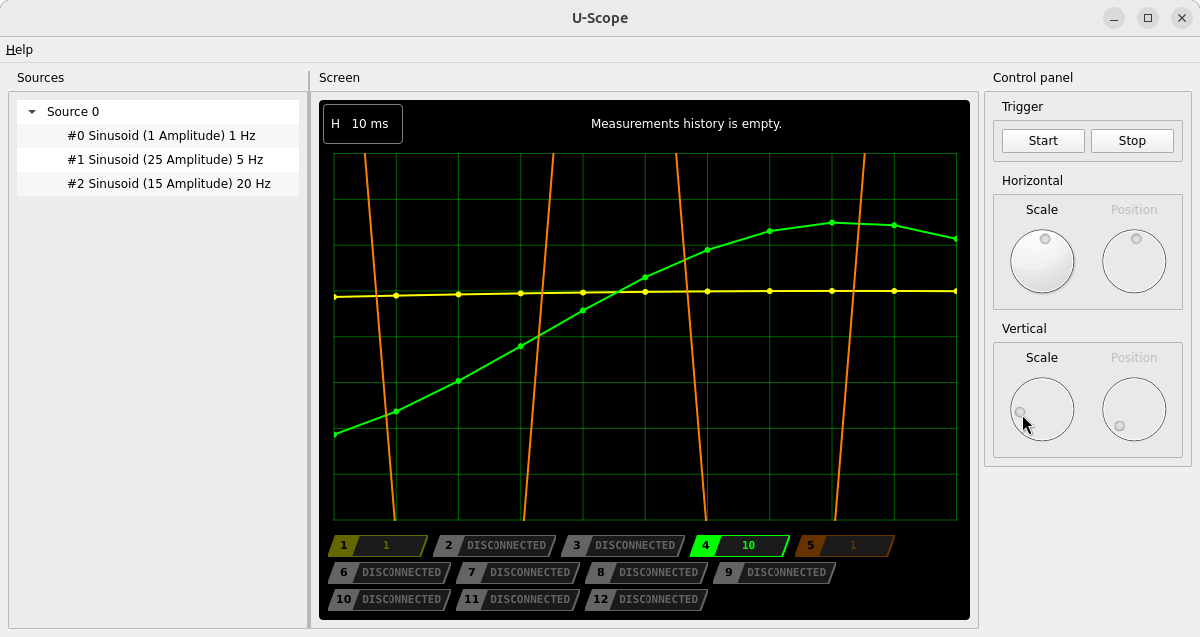
Adjusts the amplitude scale of the currently selected channel independently of other channels.
To use it:
- Select a channel by clicking its badge in the channel bar.
- Turn the Vertical Scale dial in the Control Panel.
The current vertical scale is shown directly on the selected channel’s badge in the channel bar. If no channel is selected, the vertical scale controls are disabled.